


Rolling Twins: Music Ball Rush
4.6245.00 Reviews
App Specs
- Version
- 0.3.2
- Updated On
- License
- Free
- Downloads
- 50,000,000+
- Developer
- Cobby Labs
- Categories
- Music
- Platform
- Android
Screenshots
 Analysis by AppCompare
I usually reach for a rhythm game when I want something more active than listening to music but less demanding than a long gaming session. Rolling Twins: Music Ball Rush is built around that in-between mood: you steer rolling balls through music-led courses, reacting to the track and the obstacles in front of you. Its mix of timing, movement, and bright visuals makes the basic idea easy to grasp, while the faster sections give you a reason to pay closer attention.
What to expect from a music-led run
This is a music game with an arcade feel, rather than a traditional piano-tile experience focused on tapping a sequence of notes. The central task is to keep your ball moving along a course, using side-to-side swipes to respond to what appears ahead. The music gives each run its energy, but the challenge comes from coordinating your movement with the track and the changing path.
That distinction matters if you are choosing between rhythm games. If you want to play melodies by pressing notes, a piano-keys game will suit you better. If you prefer a more visual, movement-based challenge where the beat helps set the pace, this one is a more natural fit. I find that combination appealing for short breaks because I can focus on a run without needing to learn a complicated control scheme first.
The game is free to play and comes from Cobby Labs. It has an Everyone age rating, a 4.6 average from around 75,000 ratings, and over 50 million installs. Those figures suggest that its straightforward concept has reached a broad audience, but they are not a substitute for deciding whether this particular style of play suits you. The current version is 0.3.2, and it runs on Android 6.0 or later.
Getting started without overthinking it
For a first session, I would keep the goal simple: learn how the swipe direction moves the ball, then concentrate on staying on course rather than trying to chase a perfect run straight away. The controls are easy to understand, but reacting at the right moment is a separate skill. A quick swipe made too early or too late can matter more than how fast you move your thumb.
It helps to watch the path a little ahead instead of staring only at the ball. The ball is the most obvious thing on screen, yet the useful information is often the shape of the track and the obstacle coming next. Looking forward gives you a small planning window, which makes the controls feel less like frantic corrections and more like deliberate steering.
I also recommend giving the music your attention rather than treating it as background decoration. The beat can help you settle into the course’s pace, even when a particular obstacle still needs a visual reaction. If you play with sound very low or muted, the game remains a visual reflex challenge, but some of its identity and rhythm cues are less noticeable.
Worth Reading Before You Choose

EA SPORTS FC Mobile 26 Is a Bigger Football Game, but It Takes Time

Flipboard Shows What News Apps Must Do Beyond the Feed

Switching to Android Auto Means Rethinking Your Driving Routine

Google Calendar Makes a Crowded Week Easier to Manage

Ludo King Makes the Most of the Minutes Between Plans

Baby Panda World Brings Quick Play to Modern Phones, but Its Game Library Feels Busy
Finding your first satisfying run
A meaningful early success does not need to be a flawless performance. It can simply be completing a section that initially caught you out, or noticing that your hands have begun to respond more naturally to the track. The gradual difficulty curve gives you room to get comfortable before the quicker, trickier stretches demand sharper timing.
When a run goes wrong, I would avoid changing several things at once. Try to identify whether you swerved too late, reacted to the ball instead of the upcoming path, or lost the rhythm as the pace changed. That small bit of diagnosis makes a retry more useful: you are testing one adjustment rather than repeating the same attempt and hoping for a different result.
This is also a good game to play in short bursts. A single run can provide a clear focus, and a brief pause between attempts can help you reset your attention. If you keep retrying while frustrated, quick swipes tend to become less precise. I get more out of it when I treat a miss as a cue to slow down mentally, not as a reason to rush into another run.
Reading the visual and audio cues
The colorful environments give each track a distinct look, and the smooth presentation makes it easier to follow the action as the ball moves. The visual effects that respond when you hit a beat well add a small but satisfying signal that your timing is working. They are not just decoration: noticing them can help you connect a successful movement with the moment you made it.
There is a trade-off, though. Strong colors and effects make the game feel lively, but players who prefer a quiet, restrained screen may find the presentation busy. When the pace rises, it is worth keeping your eyes on the route and treating flashes as feedback rather than letting them pull your attention away from what comes next.
The music is part of the appeal, but taste is personal. A track that makes one run feel lively may not be the kind of song you would choose to listen to on its own. I would approach the soundtrack as part of the game’s pacing and atmosphere, rather than expecting it to replace a music player or offer the same control over listening that a dedicated music app provides.
Common points of confusion
The first thing that can feel unclear is the difference between reacting to a beat and reacting to an obstacle. They overlap, but they are not quite the same task. The beat gives the run a pulse; the path still tells you where to steer. If you focus only on sound, you may miss a visual change, while watching only the ball can make the music feel disconnected from your actions.
Another early mistake is swiping more aggressively as the game speeds up. Bigger or repeated movements are not automatically better; they can make it harder to correct your line. I find it more helpful to think in terms of timely, controlled steering. A short pause to look at the upcoming section can be more useful than trying to compensate with a flurry of swipes.
If you are playing in a noisy place, the audio may be harder to follow, so make the visible course your main guide. In a quiet moment, try listening more closely and see whether the beat helps you anticipate the pace. These are two different ways to approach the same run, and you can lean on whichever cue is clearer in your surroundings.
How it fits into an everyday routine
Imagine waiting for a friend at a café with a few minutes to spare. You can open the game, try a short run, and put it down when your friend arrives. That is a more natural use for it than expecting a deep, uninterrupted gaming session. The immediate steering challenge gives a brief break a clear activity, while the music and changing courses keep it from feeling like a bare reflex test.
It can also work as a small focus reset between study or work tasks, provided you are comfortable switching your attention back afterward. I would not choose it when I need to keep part of my mind on a conversation or a complicated task: the faster sections reward concentration, and divided attention makes mistakes more likely. For a quiet break where you can give the screen a few minutes, it is a better match.
Players who enjoy quick arcade challenges, music-themed games, or learning a simple control pattern are likely to find the best fit here. Someone who wants a story, a deep simulation, or a precise instrument-like rhythm game should look elsewhere. The experience is about steering and timing, not about building a musical performance or exploring a narrative world.
Progress, goals, and a useful trade-off
As you play, obstacles and jumps give you different situations to respond to, so improvement is not only about memorizing a single movement. You begin to recognize when a section calls for a quick reaction and when steadier control is more useful. That makes each attempt a chance to refine your timing, although players who dislike repeating sections may find the learning process less appealing.
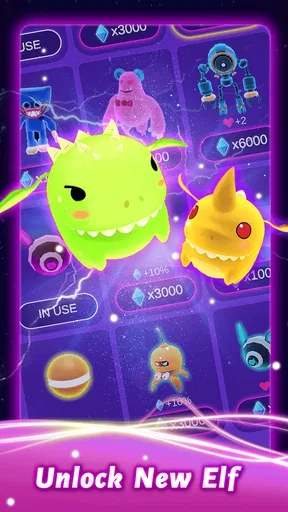
New tracks and balls offer goals beyond simply getting through the course. I like having something to work toward, especially when a run ends before I reach the point I wanted. Still, unlockables are most satisfying when you enjoy the basic play itself. If the swipe-and-steer loop is not engaging for you, collecting cosmetic or track-related rewards is unlikely to change that.
A practical tip is to separate your goals: in one attempt, focus on reading the track; in another, pay attention to keeping your movements controlled. Trying to improve every part of your play at once can make it difficult to tell what helped. This small approach turns a casual retry into a clearer learning step without making the game feel like homework.
Who should choose it—and who should pass
I would recommend this to someone who wants an approachable music game with quick reactions and a lively visual style. It is especially suitable if you like the feeling of improving through repeated attempts but do not want to spend a long time learning a complex control system. The free price also makes it easy to try the core idea without committing to a purchase.
On the other hand, players who want to compose, tap exact notes, or practice musical timing in a more instrument-like format may be happier with a piano-tile or conventional rhythm game. Those alternatives put note input at the center; here, steering the ball is the main event. And if bright effects or increasingly fast reactions tend to tire you out, a calmer puzzle game may make for a better break.
Compared with endless runners, this game puts more emphasis on the relationship between music and movement. Compared with standard rhythm games, it asks you to guide a ball through a course instead of simply matching a stream of notes. That hybrid identity is its strongest reason to try it, but it also means it will not fully satisfy someone who wants either a pure runner or a traditional beat-matching challenge.
Groove to the Beat
Right from the start, Rolling Twins: Music Ball Rush pulls you in with its catchy tunes. The game is all about rolling balls through a musical landscape. Imagine yourself on a roller coaster, but instead of loops and dips, you're hitting rhythmic beats and dodging obstacles. The music is key here; it sets the pace and keeps you hooked.
You start with simple tracks, but as you progress, the beats get faster, and the challenges get trickier. It’s like a dance-off with your thumbs! Each level introduces a new song, and let me tell you, they've got quite the playlist. From pop to electronic, there's something for everyone.
Gameplay and Controls
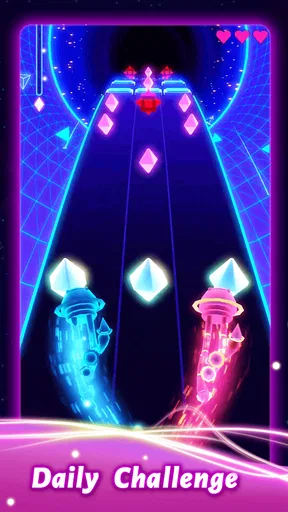
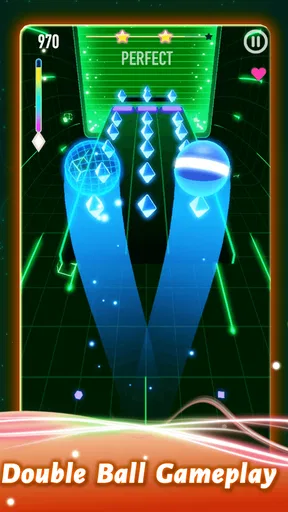
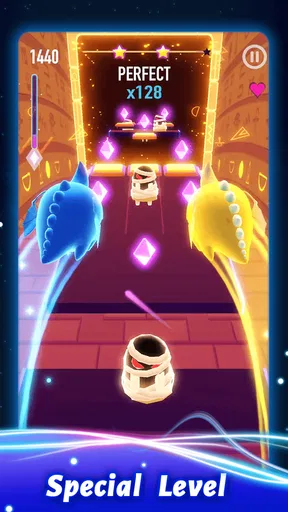
The controls are intuitive, making it easy for anyone to pick up and play. You swipe left or right to guide your ball along the track. It’s all about timing and precision, especially when the speed ramps up. I found myself getting lost in the rhythm, my fingers tapping away like I was playing a drum solo.
What I really appreciate is how the game gradually increases its difficulty. It doesn't just throw you into the deep end. You get a chance to get used to the controls and the speed before things start to really heat up. And trust me, they do!
Visuals and Experience
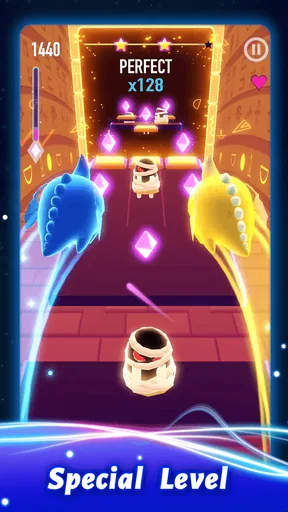
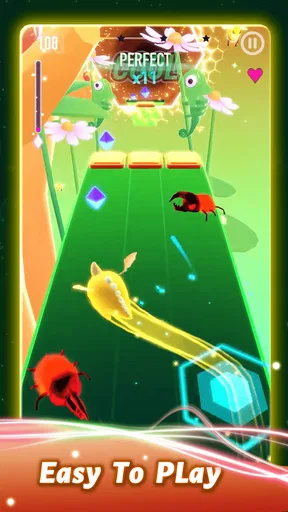
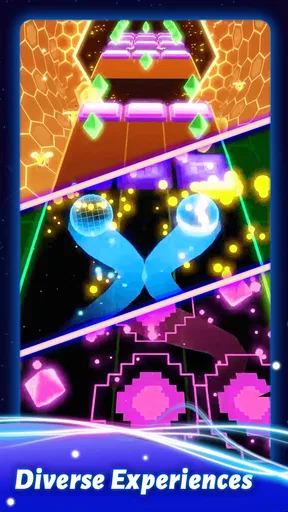
The visuals are vibrant and colorful, creating an immersive experience that’s a feast for the eyes. Each track has its own unique design, and the graphics are smooth, making the gameplay seamless. It's like being in your own little music video, and who wouldn't want that?
One of my favorite aspects is the synchronization between the music and the visual effects. When you hit a beat perfectly, the screen lights up, giving you a satisfying sense of accomplishment. It's those little details that really enhance the experience.
Challenges and Unlockables
As you progress, you'll encounter various challenges that keep the game fresh and exciting. There are obstacles to avoid, jumps to master, and even some sneaky traps that require quick reflexes. It’s a test of skill and concentration, and it keeps you coming back for more.
There are also plenty of unlockables to keep you motivated. From new tracks to shiny new balls, there's always something to aim for. It's rewarding to see your progress and have new goals to chase. Plus, who doesn't love a bit of customization?
Conclusion
In the end, Rolling Twins: Music Ball Rush is a delightful mix of music, rhythm, and challenge. It's one of those games that's easy to pick up but hard to put down. Whether you’re a music lover or a gaming enthusiast, it offers a fantastic way to unwind and have fun.
If you’re looking for a game that tests your reflexes while letting you groove to some awesome tunes, give this one a try. Just be warned, you might find yourself tapping your feet along with the beat long after you’ve put down your device!
Pros
- Engaging rhythm-based gameplay.
- Varied music tracks enhance fun.
- Intuitive and smooth controls.
- Visually appealing graphics.
- Frequent updates with new content.
Cons
- Ads can be intrusive at times.
- Limited offline functionality.
- In-app purchases can be pricey.
- Occasional lag on older devices.
- Repetitive levels after a while.
FAQs for Rolling Twins: Music Ball Rush
What is Rolling Twins: Music Ball Rush about?
Rolling Twins: Music Ball Rush is a rhythm-based game where players guide a ball along a track, synchronized with popular music tracks. The objective is to navigate through obstacles, collect rewards, and maintain the rhythm to score high. The game combines vibrant visuals with an engaging musical experience.
Is Rolling Twins: Music Ball Rush free to play?
Yes, Rolling Twins: Music Ball Rush is free to download and play. However, it includes in-app purchases and advertisements. Players can choose to buy additional features, remove ads, or enhance their gameplay experience with optional purchases available within the app.
What are the system requirements for Rolling Twins: Music Ball Rush?
Rolling Twins: Music Ball Rush requires iOS 10.0 or later for iPhone users and Android 5.0 or higher for Android devices. The game is designed to run smoothly on most modern smartphones and tablets, although performance may vary on older models.
Can I play Rolling Twins: Music Ball Rush offline?
Rolling Twins: Music Ball Rush requires an internet connection to access certain features, such as downloading new music tracks or participating in online events. However, some basic gameplay levels may be available offline once they are downloaded to your device.
Are there any tips for beginners in Rolling Twins: Music Ball Rush?
For beginners, it's important to start with easier tracks to get a feel for the game mechanics. Focus on maintaining rhythm and timing your movements with the beat. Collecting rewards along the track can enhance your score. Practice regularly to improve your reaction times and rhythm accuracy.


